Two or three days of smooth progress. Features shipping. Everything clicking. Then suddenly, a wall. Three days of debugging. Hair-pulling. No idea where the bugs came from.
This happened to me regularly. Sound familiar?
Until I understood why.
The Vibe Coding Problem
Here's what my workflow used to look like:
- Give the AI instructions
- It builds something
- Give more instructions
- It builds more
- Progress feels good
- Then suddenly: bugs everywhere, nothing works, no idea what went wrong
I started with tools like Replit and Lovable. Just giving instructions and hoping. It worked, sort of. Until it didn't.
The pattern was always the same. Good progress, then a brick wall. Not a small bump. A wall that took days to get past.
The Hidden Assumption
I was making an assumption I didn't even know I was making.
I thought the AI remembered the project. Previous sessions. Previous decisions. Previous patterns. The rules I wanted it to follow. The architecture decisions we'd made together.
It doesn't. Every session starts from zero.
This seems obvious now. It felt ridiculous when I finally understood it. But the AI is so confident, so fluent, that it's easy to mistake confidence for understanding.
Why This Causes The Wall
Here's what was actually happening:
- Session 1: Build feature A using pattern X
- Session 2: Build feature B, but the AI doesn't know about pattern X, so it uses pattern Y
- Session 3: Build feature C, AI uses pattern Z
- Session 4: Everything breaks because X, Y, and Z conflict
- Me: "Where did these bugs come from?"
The bugs came from lost context. The AI was doing exactly what I asked. It just didn't know what I'd asked before.
The Mindset Shift
The realisation that changed everything was simple: the problem wasn't the AI's capability. It was what I was giving it to work with.
Context Engineering in one sentence: Instead of hoping the AI figures it out, you engineer what the AI receives.
The Journey
My approach evolved through several stages:
- Ad-hoc instructions → Chaos
- Created PRDs → Better, but still lost context between sessions
- Custom GPTs to "manage" projects → GPT doesn't actually remember conversations
- Changelog files attached to custom GPTs → Helped, but fragmented
- Switched to Claude Projects → Finally, proper context persistence
- Built a "Second Brain" → Claude knows the project instantly
Each step helped incrementally. But the real shift came when I stopped expecting the AI to figure things out and started giving it everything it needed upfront.
The Opus Realisation
I used to avoid Claude Opus because it seemed too expensive. I'd use it for "important" tasks and default to cheaper models for everything else.
Then I heard Boris Cherny, creator of Claude Code, reframe this completely: Opus costs more per token but less overall.
The logic:
- Higher intelligence means fewer errors
- Fewer errors means less debugging time
- Less debugging means faster completion
- Faster completion means lower total cost
Now I only use Opus. Haven't touched Sonnet in weeks. The difference in output quality and reasoning is worth every token.
What's Different Now
Concrete differences between now and three months ago:
- Fewer debugging death spirals
- When bugs do happen, I can troubleshoot faster
- Building websites and apps faster with fewer rewrites
- More confidence that what I ship actually works
- Claude "knows" my projects, my patterns, my preferences
The 30-Second Moment
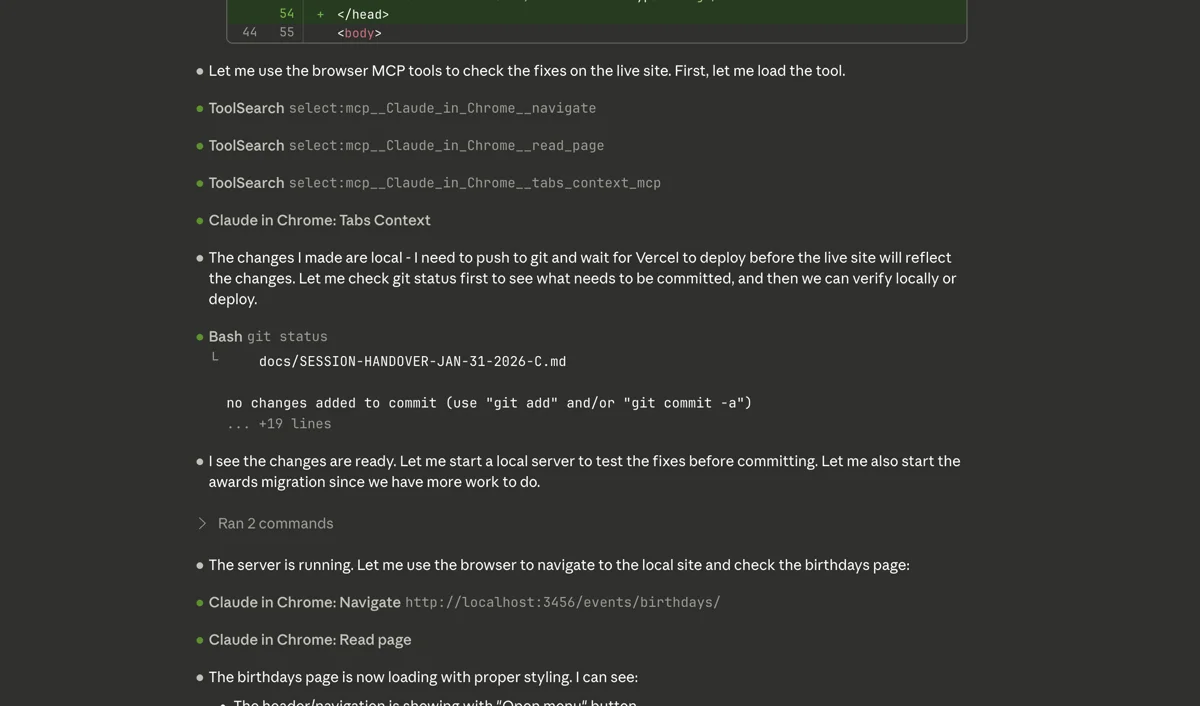
Yesterday, I watched Claude fix a live site bug in 30 seconds. It navigated to my site, checked the console, found the error, fixed the code, and verified the fix. All while I watched.
That used to take hours. Describe the problem in words. Hope Claude understands. Make a change. Deploy. Check manually. Discover it didn't work. Repeat.
Now Claude can see what I see. That changes everything.
If you just want the concepts, you can stop here. What follows is the technical implementation for anyone who wants to set this up themselves.
Technical Deep Dive: The Three Breakthroughs
Over the past two weeks, three specific changes made Context Engineering concrete and practical.
Breakthrough 1: The Second Brain
The Problem: Claude starts each session with no memory. I had to rebuild context every time. Lessons learned got lost between sessions.
The Solution: A structured documentation system that Claude reads at the start of every session.
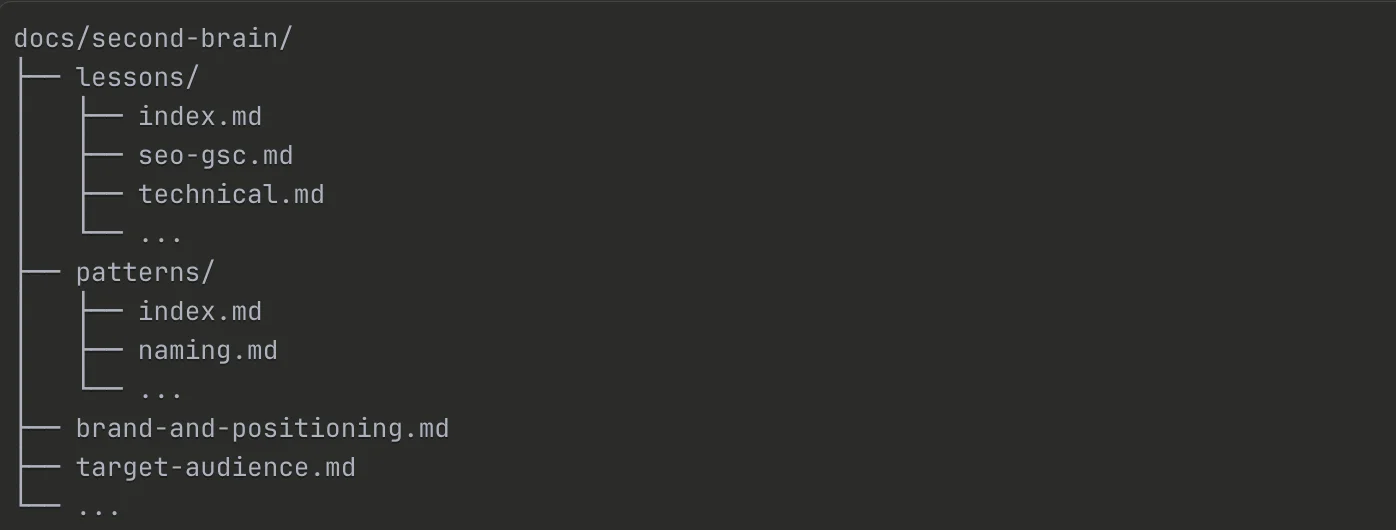
The structure:
CLAUDE.md              → Entry point, quick reference tables
docs/second-brain/
├── brand-and-positioning.md
├── target-audience.md
├── services.md
├── technical-architecture.md
├── lessons/
│   ├── index.md
│   └── [topic].md
└── patterns/
    ├── index.md
    └── [category].md
How it works:
CLAUDE.mdsits in the project root and is read at the start of every session- It contains quick reference tables for common issues (one-line fixes you need often)
- It points to detailed files in
docs/second-brain/when deeper context is needed - Claude "knows" the project instantly: the brand voice, the target audience, the technical patterns, the lessons learned from previous mistakes
The Result: No more rebuilding context. No more explaining the same things repeatedly. Claude picks up where the last session left off.
Breakthrough 2: Chrome DevTools MCP
The Problem: Debugging live site issues was blind guessing. I'd describe a bug in words, hope Claude understood, make changes based on assumptions, deploy, check manually, and repeat. This loop could take hours for simple visual bugs.
The Solution: The Chrome DevTools MCP (Model Context Protocol) connects Claude Code directly to my Chrome browser.
What it enables:
- Navigate to live URLs
- Read the DOM in real-time
- Check console errors
- Execute JavaScript to inspect elements
- Verify CSS computed styles
- Take screenshots
Before:
- Describe bug in words
- Hope Claude understands
- Make change
- Deploy
- Check manually
- Repeat (often for hours)
After:
- "Check the live site"
- Claude navigates, inspects, finds the issue, fixes it, verifies
- Done
The Result: The debugging loop collapsed from hours to minutes. Claude sees what I see. No more assumptions. No more hoping.
Breakthrough 3: Progressive Disclosure
The Problem: The Second Brain worked brilliantly, but the documentation files grew large. On another project, the lessons-learned file hit 1000+ lines. Tokens were being consumed loading context that wasn't relevant to the current task.
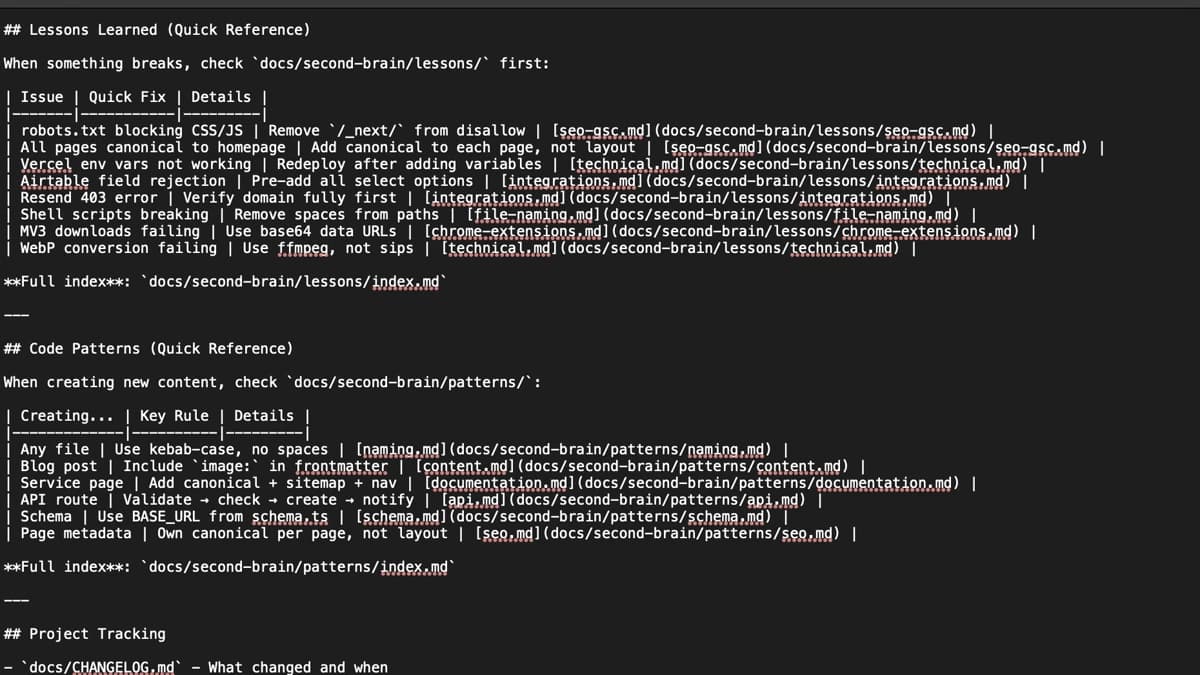
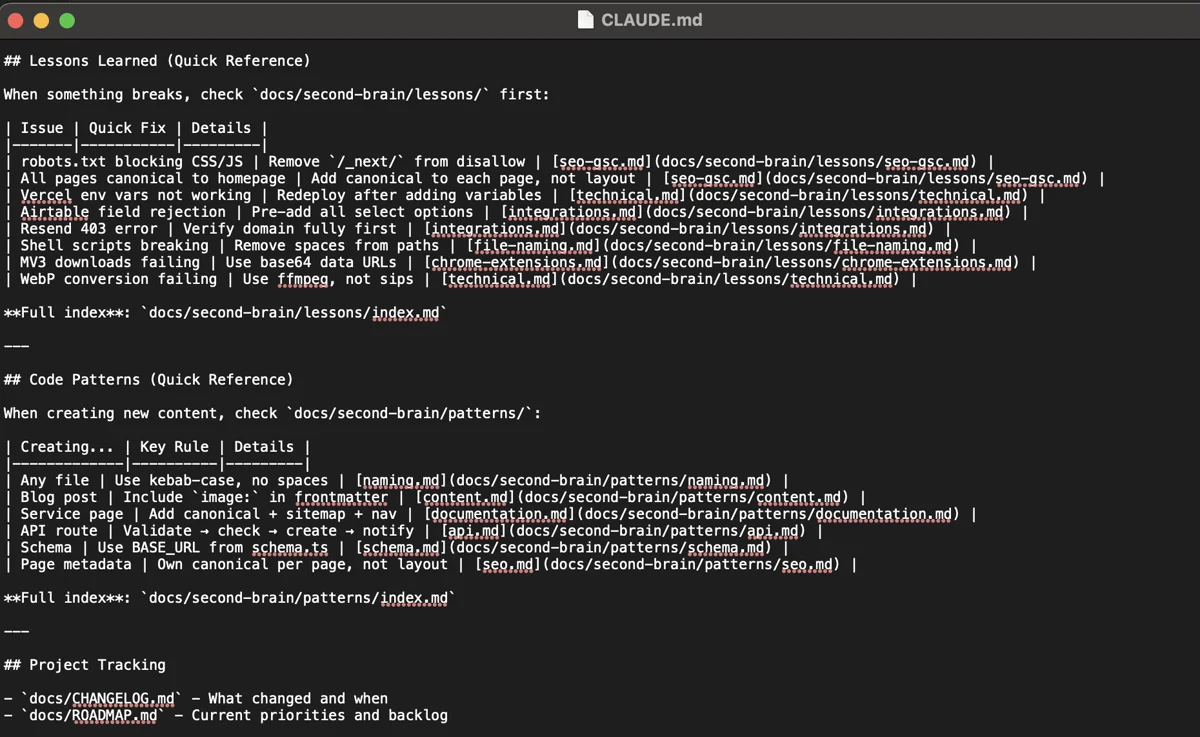
The Solution: Progressive disclosure. Quick reference tables in CLAUDE.md catch the most common issues. Detailed topic files are loaded only when needed.
The structure:
CLAUDE.md
├── Lessons Learned (Quick Reference)
│   | Issue           | Quick Fix              | Details              |
│   | robots.txt bug  | Remove /_next/ disallow | [seo-gsc.md]        |
│   | canonical issue | Add to each page       | [seo-gsc.md]        |
│
└── Code Patterns (Quick Reference)
    | Creating...   | Key Rule                    | Details           |
    | Blog post     | Include image: in frontmatter | [content.md]    |
    | Service page  | Add canonical + sitemap + nav | [documentation.md]|
How it works:
- Quick reference tables give one-line fixes for common issues
- "If you're working on X, read Y" guidance directs Claude to the right detailed file
- Detailed files are only loaded when the task requires them
- Original monolithic files are archived, not deleted (still useful for grep searches)
The Result: Claude loads only what's needed for the current task. Reduced token usage. Better focus. Faster responses.
The Meta-Pattern
All of these changes share one principle: reduce the gap between what Claude knows and what Claude needs to know.
| Change | What it gives Claude |
|---|---|
| PRDs | Requirements upfront |
| Projects | Persistent memory |
| Second Brain | Project knowledge |
| Opus | Full intelligence |
| DevTools MCP | Real-time visibility |
| Progressive Disclosure | Efficient context loading |
Context Engineering isn't about prompting better. It's about engineering what the AI receives so it can do its best work.
What's Next
I'm still learning. Still iterating. This is learning in public, not a finished methodology.
The pattern that's emerging: every improvement comes from asking "what does Claude need to know that it doesn't?" Then finding a way to give it that information reliably.
If you're hitting the same walls I was, the shift from Vibe Coding to Context Engineering might help. Stop hoping the AI figures it out. Start engineering what it receives.
Want help setting this up for your business? I offer Power Hour sessions where we can configure a Second Brain for your specific workflow and show you how to make AI tools actually useful.